Strategy and structure
We agree what the store needs to do, plan the collections, product data and key pages, and decide which features belong in the theme and which need an app.
Shopify development and store management
We are a WordPress studio first, and Shopify sits alongside that work. We build Shopify stores, fix and extend existing themes, move stores between WooCommerce and Shopify in either direction, and look after stores month to month.
Store builds · Theme work · Migrations · Integrations · Store management

Planning the store
Before any design, we look at your catalogue, how customers look for products, the content you publish and the systems the store has to talk to. That decides the collection structure, the metafields and which features need an app at all, so the store is easier to run as the range grows.
Talk through your store planIllustration, not client data
Our Shopify services
Shopify sits alongside our WordPress and WooCommerce work. These are the jobs we do on it, from a new theme to the monthly changes on a store that is already trading.
Storefronts designed around the brand and the catalogue, from the collection pages to the cart.
Online Store 2.0 themes, custom sections, metafields and Liquid work, written cleanly and documented.
Bundles, subscriptions, product options and custom logic, using as few apps as the job allows.
Connecting Shopify to email, CRM, fulfilment, accounting and your own systems.
See integrations →Finding which apps, scripts and theme features slow the store on mobile, and removing what is not needed.
See performance work →Product updates, campaign pages, theme changes and app updates, handled month to month.
See store management →New Shopify store
A build in three stages, with the structure agreed before design and everything tested before the store goes live.
We agree what the store needs to do, plan the collections, product data and key pages, and decide which features belong in the theme and which need an app.
We design and develop the theme, set up products, payments and shipping, and build the sections the brief calls for, so you can edit pages without a developer.
We test checkout, payments, tracking and the mobile layouts, fix what turns up, take the store live and check it again once the first real orders come in.
Existing Shopify store
Often the better option is fixing what you already have: a theme edited by several developers over the years, apps that do the same job twice, a collection page that is slow on mobile or a cart step that confuses people. We look at the store, tell you what we would change and fix it in place.
Shopify management
Hand over the ongoing ecommerce work. We handle product updates, campaign pages, theme changes and app updates month to month, so small changes do not pile up waiting for a developer.
You send the request. We plan it, build it and confirm it is live.
Performance
Apps and theme features add weight quietly, and an app you uninstalled can leave its code behind in the theme. We measure what each one costs on mobile, remove what is not needed and check Core Web Vitals in Search Console afterwards.
Integrations
Orders, customers and stock should move between systems without anyone copying data by hand. We connect Shopify to your email marketing, CRM, analytics, payments, shipping, reviews and accounting tools, and write custom API connections where no ready-made integration exists.
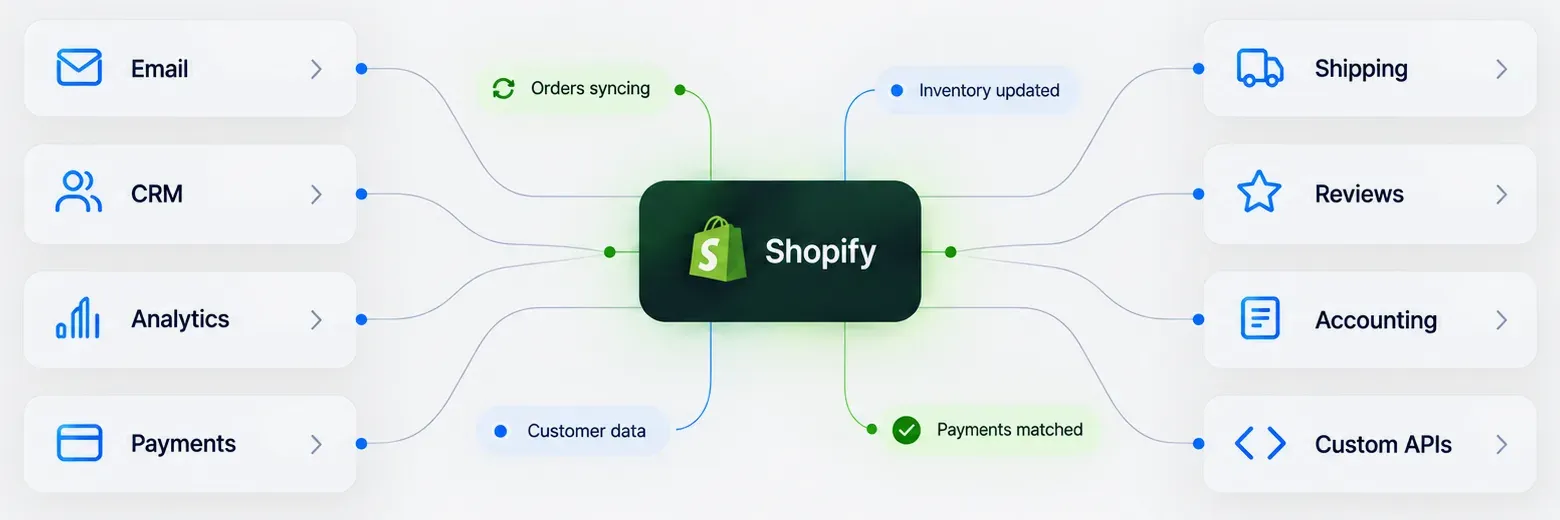
Illustration, not client data
Shopify migrations
Moving from WooCommerce to Shopify, or from Shopify to WordPress and WooCommerce? Products, variants, customers, order history and content move across on a written plan. Every old URL is mapped to its new address with a 301 redirect, checkout, tracking and the redirects are tested before launch, and Search Console is checked again after the switch.
Why work with us
We work on WooCommerce as well as Shopify, so we can tell you when a store would suit the other platform better, and move it across if that is the right call.
Themes, Liquid, sections, metafields and the Shopify APIs.
The developer who plans the store also builds it, so nothing is lost in a handover.
Each app and feature is weighed against what it costs in speed.
URLs, structure and metadata considered from the first template.
Sections and settings you can edit without calling a developer.
We can stay on after launch to maintain and improve the store.
“We have used Mian on several projects. He has always delivered on time, and with a high standard for each of our projects. That's why we keep coming back!”
Investment
Theme, apps, speed, tracking and conversion reviewed, with a prioritised fix list.
From $600
Custom theme, products, payments and integrations, set up and documented so you can run the store day to day.
$3,500-$12,000
Product updates, campaign pages, theme changes and app health, handled monthly.
From $250/mo
Prices in USD. Every project is scoped individually, and it starts with a short initial review of your issue, so you know what you are buying before any work is agreed.
Questions
Yes. We start by looking at the theme, the apps and what is going wrong, rather than assuming the store needs a rebuild.
Either, depending on the brief. A well-chosen paid theme can be the right commercial call; a custom theme makes sense when the brand or catalogue needs it. We tell you which fits before anything is built.
Yes, in either direction. Products, variants, customers, orders and URLs move across on a written plan, with every old URL 301 redirected and the redirects checked before launch.
A planned move keeps the risk low, but nobody can promise rankings. We map every old product, collection and page URL to its new address, carry over titles and metadata, test the redirects before launch and watch Search Console in the weeks after.
Usually four to eight weeks, depending on catalogue size, integrations and whether the theme is being redesigned. We agree the timeline once we have seen the store, before any work starts.
They can. Each app adds scripts to the storefront, so we check what an app costs in speed before adding it, and suggest removing the ones the store no longer needs.
Yes. Store management covers product updates, campaign pages, theme changes and app health on a monthly basis, from $250 a month, month to month.
It depends on the catalogue, the content and who runs the store day to day. Shopify looks after hosting, checkout and payments for you; WordPress with WooCommerce gives more control over content and custom features. Most of our work is WordPress, and we will say so if we think it would suit you better.
A link to the store and a few lines on what is not working or what you need. Mian replies by email within one working day with a short initial review of your issue: what he would check first and how he would approach it. Store access comes later, once the work is agreed.
A full store audit starts from $600. A new store or rebuild typically costs $3,500 to $12,000, and ongoing store management starts from $250 a month. Prices are in USD, and every project is scoped individually once we have seen the store.
Further reading
What we tell store owners before they pick a theme, add another app or switch platform.

Diagnose storefront slowness with repeatable measurements and staged app, image and theme changes that preserve important buying journeys.
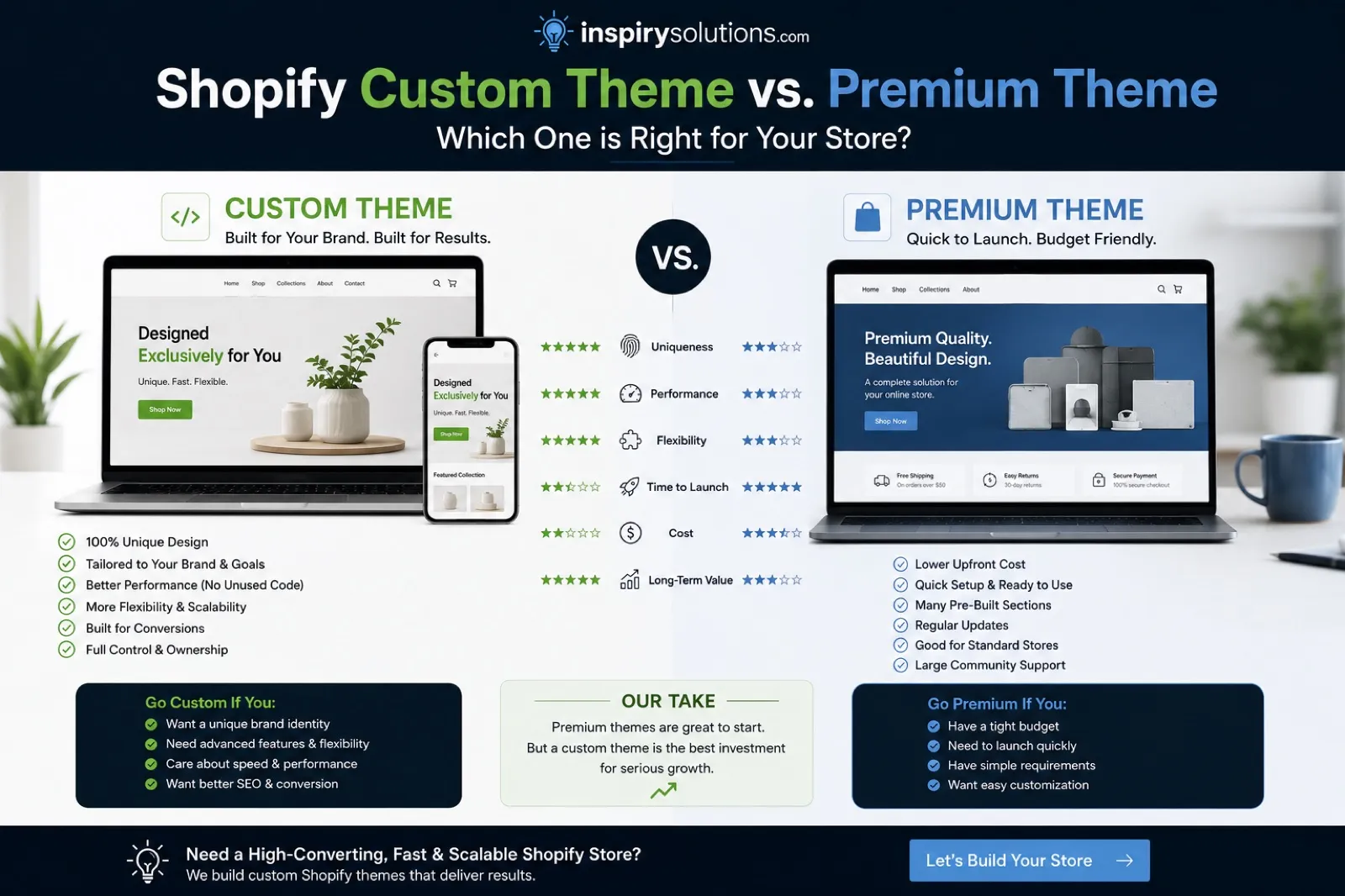
Choose a premium theme, targeted customisation or a full custom storefront based on demonstrated constraints, editing needs and maintenance costs.

Compare the platforms through operating needs, support capacity, content, integrations and whole-life costs rather than a generic feature checklist.
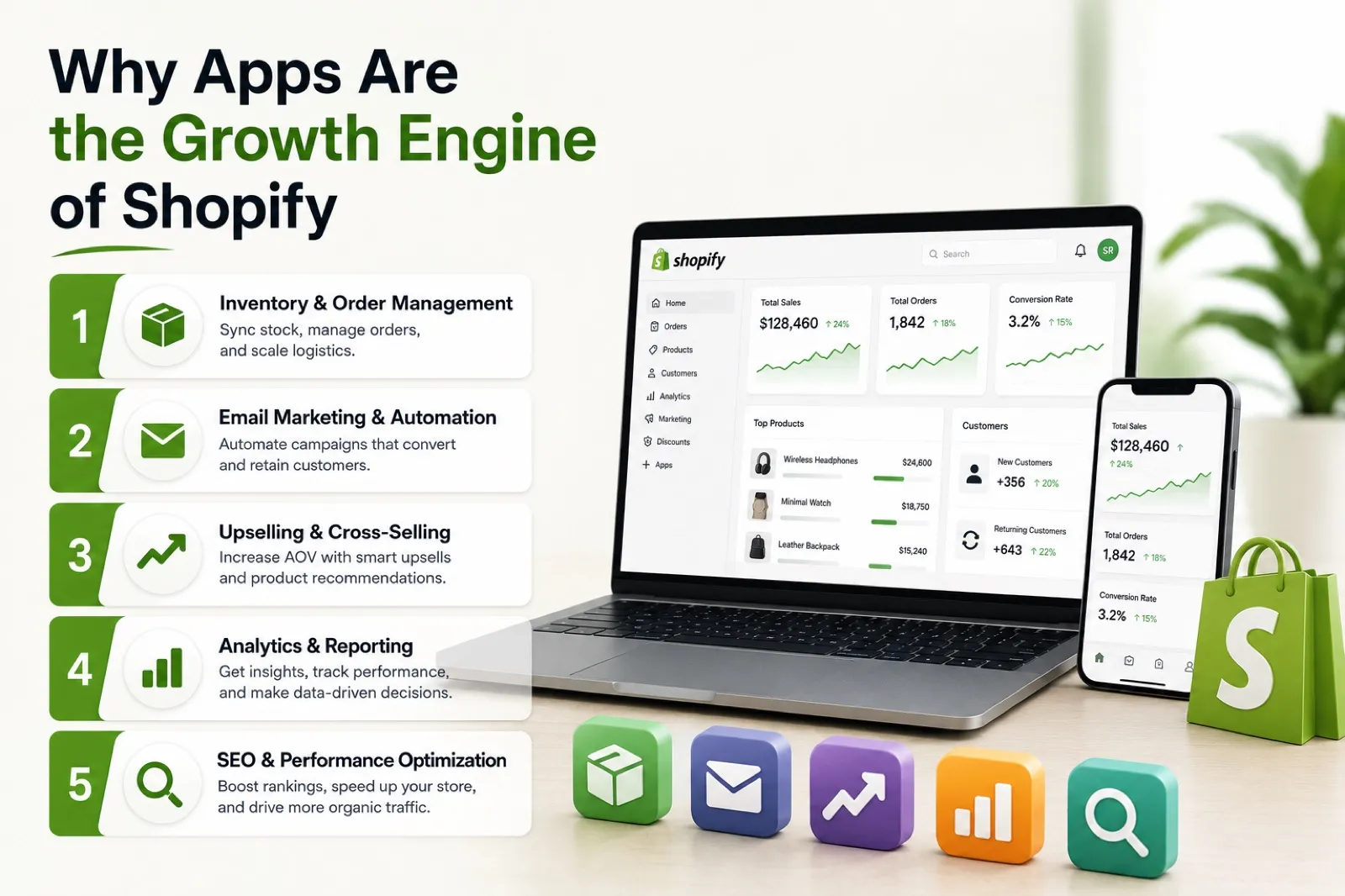
Evaluate five app categories against your actual operational needs, existing Shopify capabilities, ongoing costs and measurable results.
Next step
Send the store address and a few lines about what is going wrong or what you need. Mian replies by email within one working day with a short initial review of your issue: what he would check first and how he would approach it.
We only use your details to reply to you. Privacy notice
Agencies: tell us if this is for a client and the work stays white label.